Blog
Thanks for visiting CapEd Credit Union's Blog! Here you'll find helpful financial resources, our product information, money saving tips and tricks, and more.
Filter Content

Advancing funds from your HELOC
You can easily request advances from your Home Equity Line of Credit (HELOC) to be deposited directly into your CapEd checking or savings account.
Read More

Online Mortgage Servicing Platform
All Mortgage and HELOC information will be accessible through our new Online Mortgage Servicing Platform, found within CapEd Online Banking.
Read More

Credit Card Balance Transfer
Need to consolidate Credit Card Debt? Let's see if a Balance Transfer is right for you!
Read More
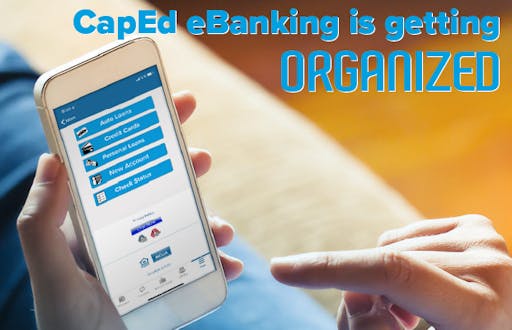
eBanking Update
CapEd's online and mobile banking has received an update! Users will now experience a new look and a more sleek design that allows for simple navigation to help make your every day banking needs even easier!
Read More

How do I add an external account in CapEd Online Banking?
To transfer funds from your CapEd account to another financial institution’s account, aka an external account, you’ll want to begin by logging into eBanking.
Read More

How do I enroll in CapEd Online Banking?
Enroll in CapEd's online banking so you can access account balances, transfer funds, make payments and more on your computer or phone!
Read More

How do I add a Payee to CapEd Bill Pay?
CapEd Bill Pay allows members to pay bills directly from their CapEd account online. When you use Bill Pay, you will electronically choose when to pay your bill and have it pulled from your account and then a physical check will be mailed to the payee.
Read More

What is Snapshot in the CapEd Mobile Banking app?
Snapshot is a quick glance at your account balances when you first open your CapEd Mobile App that provides visibility to your balance without the need to log into Mobile Banking.
Read More
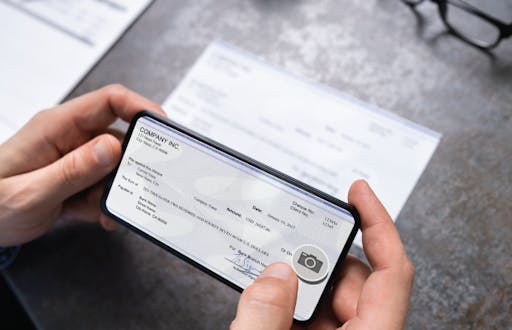
How do I deposit a check on the CapEd Mobile Banking app?
If you can’t make it to a branch to deposit your check, don’t worry, you can make your deposit from your phone! With your CapEd Mobile Banking app for Android and IOS, you can simply take a picture of your check and deposit it directly into your account.
Read More

What's my balance?
One of the most common questions we receive from our members when they call in is, "What's my balance?" With advancements in technology, shopping gets easier and easier, and as we spend more, we need a way to track that spending and our daily account balances.
Read More

Export Transactions Manually for Quickbooks/Quicken
If you're experiencing connectivity issues with Quickbooks and eBanking, don't worry, we're on it. In the meantime, here are some instructions on how to manually update your transaction tracking.
Read More

Online Banking Login Update
CapEd has updated our eBanking login process. Whether you forgot your password or you’ve been locked out due to too many password attempts, you can reset your Online Banking password and troubleshoot easily yourself.
Read More

CapEd Contact Center's Top FAQs
Find out the answers to our Contact Center's top 10 frequently asked questions in this helpful Q&A.
Read More
The Member Services Widget in eBanking
Have you noticed a new icon in your eBanking menu lately? Learn about the convenience options in our new Member Services widget in this post.
Read More

The Quick Apply Widget in eBanking
Are you ready to take out a loan? Here's how to take advantage of the Quick Apply loan application widget in the CapEd Mobile Banking app.
Read More

Manage Your Finances Using CapEd Alerts
Especially in today's economy, financial concerns are top of mind. We want to make sure our members understand the tools at their disposal to manage their accounts successfully. If you're concerned about overdraft fees, here's how to help yourself avoid them.
Read More

Keeping Your Personal Information Secure Online
We miss seeing your faces every day at the teller line, but we are happy to see many of you reaching out online. Here are the most secure ways to get answers to your CapEd account questions from a distance.
Read More
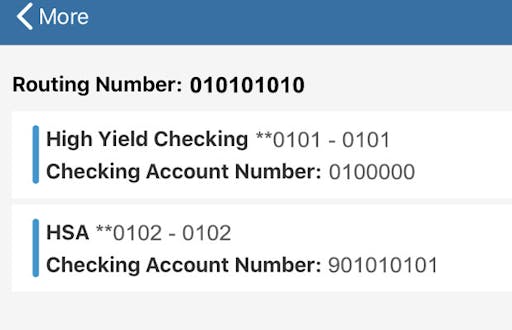
Setting Up Direct Deposit
Direct Deposit is another qualification for many of CapEd's rewards accounts. Find out how to set it up for yourself with this article.
Read More

How to Enroll in eStatements
eStatements are a qualification for many of our rewards accounts because reducing CapEd's consumption of paper is one of the ways we are working to create a sustainable future for our members and our community. Here's how to enroll.
Read More